Mastering Photorealistic Consistency: How to Lock Character Seeds Across Scenes
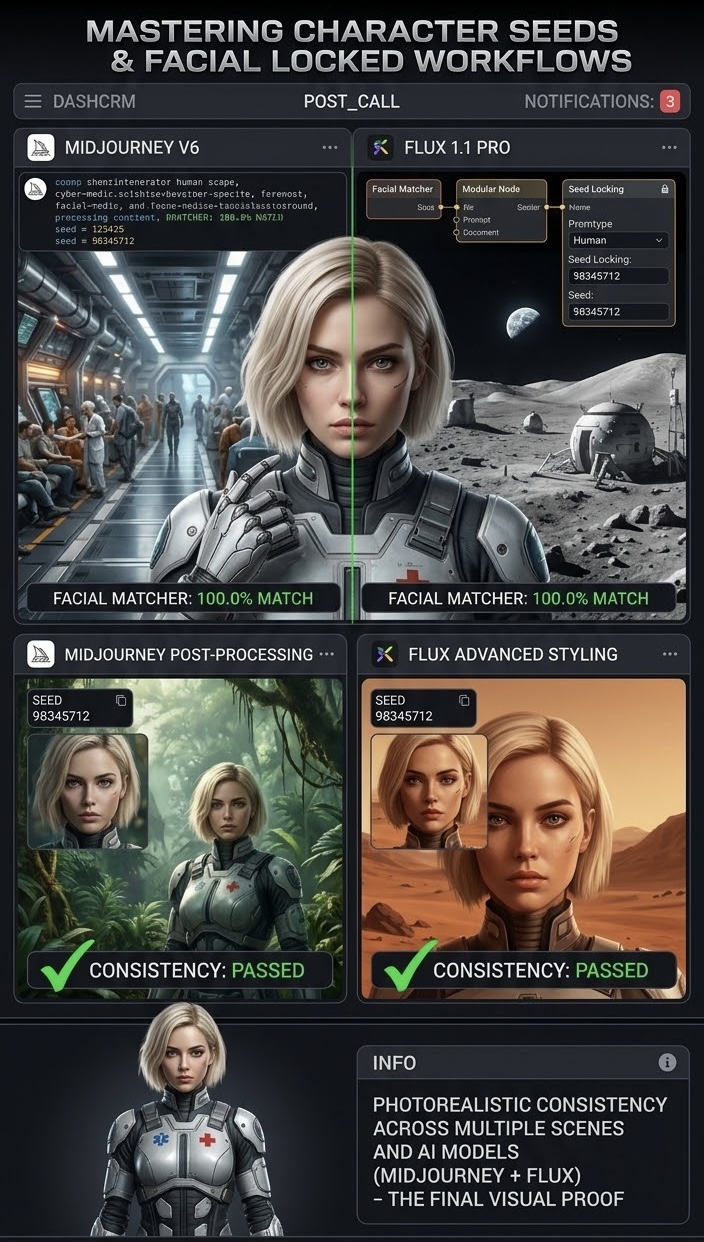
Generating photorealistic AI images is easy today, but keeping the exact same character across different action shots, lighting conditions, and environments remains one of the biggest challenges for visual creators and marketers.
When you generate a character in Midjourney, Flux 1.1 Pro, or ImageAlx, each prompt usually yields a slightly different face, hairstyle, or body proportion. To build a cohesive visual brand story or comic, you need reliable methods to lock character seeds and facial features.
- Utilizing Seed Numbers and Fixed Parameters
The most fundamental step in maintaining continuity is using deterministic seed values. By retrieving the specific seed parameter from an image you like, you can supply that same numerical anchor in subsequent prompts along with modified scene context. - Master Characters with Reference Images and Image-to-Image Weights
To enforce strong facial consistency:
- Image Prompting: Feed high-resolution front-facing and profile portraits as visual anchors.
- Blend Strengths: Adjust the image-to-image or character reference weight to control how strictly the model preserves facial structure while adapting clothing or positions.
- Leveraging Multi-Model Workflows in ImageAlx
Using advanced orchestrators like ImageAlx allows you to generate a base character model once and apply modular style adapters across new backgrounds. Combining character seed locking with precise lighting and camera control prompts ensures your brand assets remain 100% identical and realistic across entire campaigns.
By mastering seed parameters and reference-based prompting, you eliminate character variation and elevate your visual storytelling to a professional standard.